

A phone app for small sellers
Duit Kedai
Record sales, expenses and the money taken out of the shop, in seconds. See this month's profit after your own wage, every day.
The sample shop is a made-up nasi lemak stall with six months of records. Tap anything. No account, no login. You can also try your own shop for 3 days without a code.
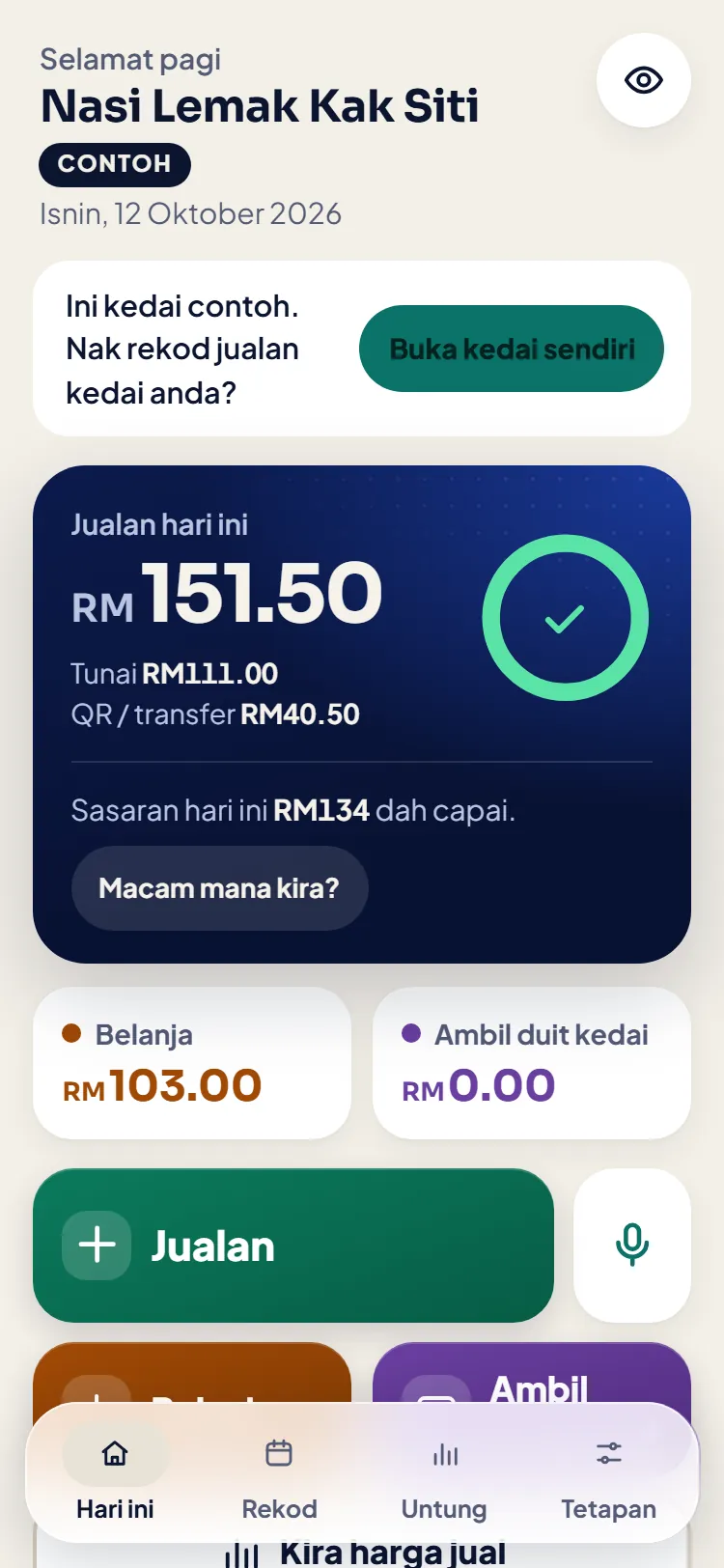
Real screens, not sketches
Every picture below is a real screen of the app you will install, from the sample shop.
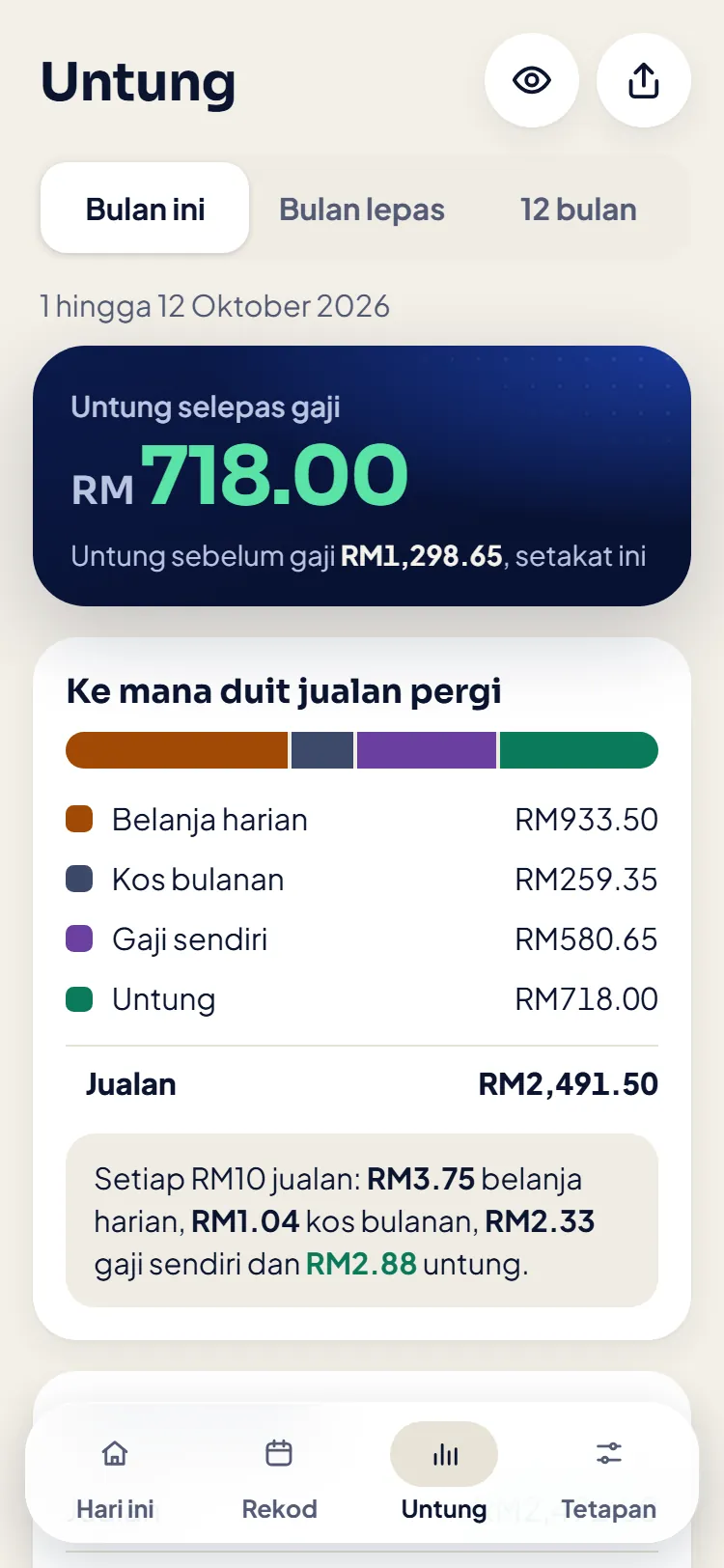
Profit after your wage, and where every RM10 of sales went. 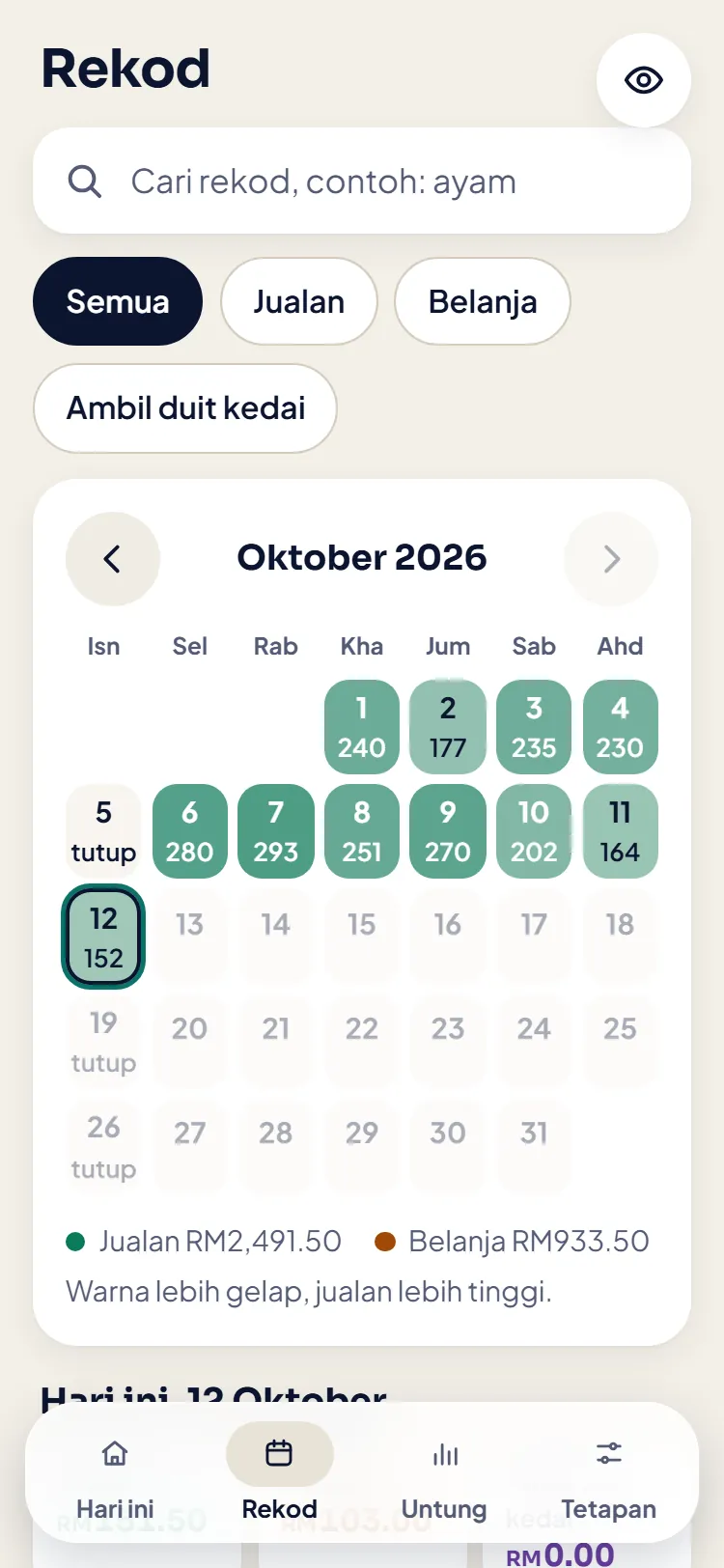
The records calendar: the darker the colour, the higher the sales. 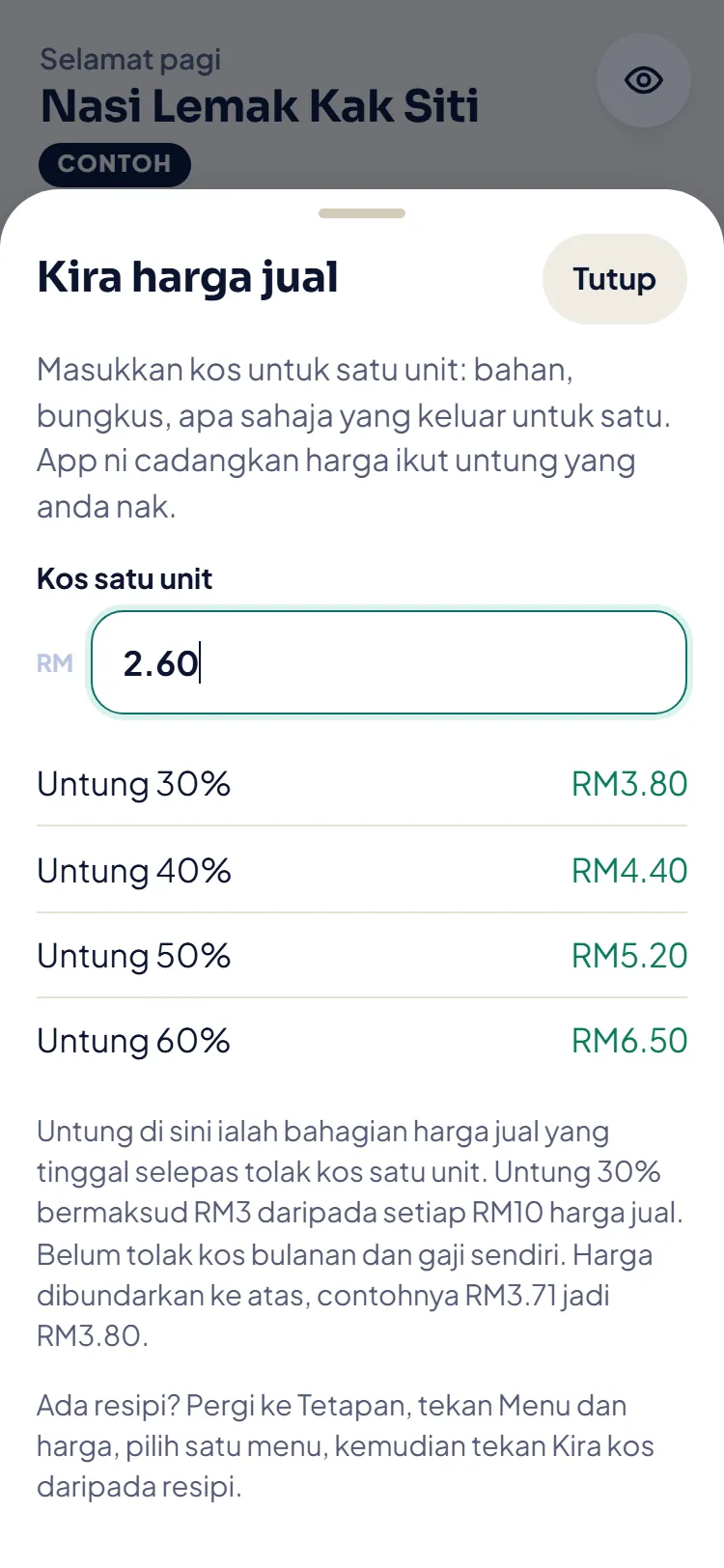
Work out a selling price: type the cost of one unit, get four suggested prices. 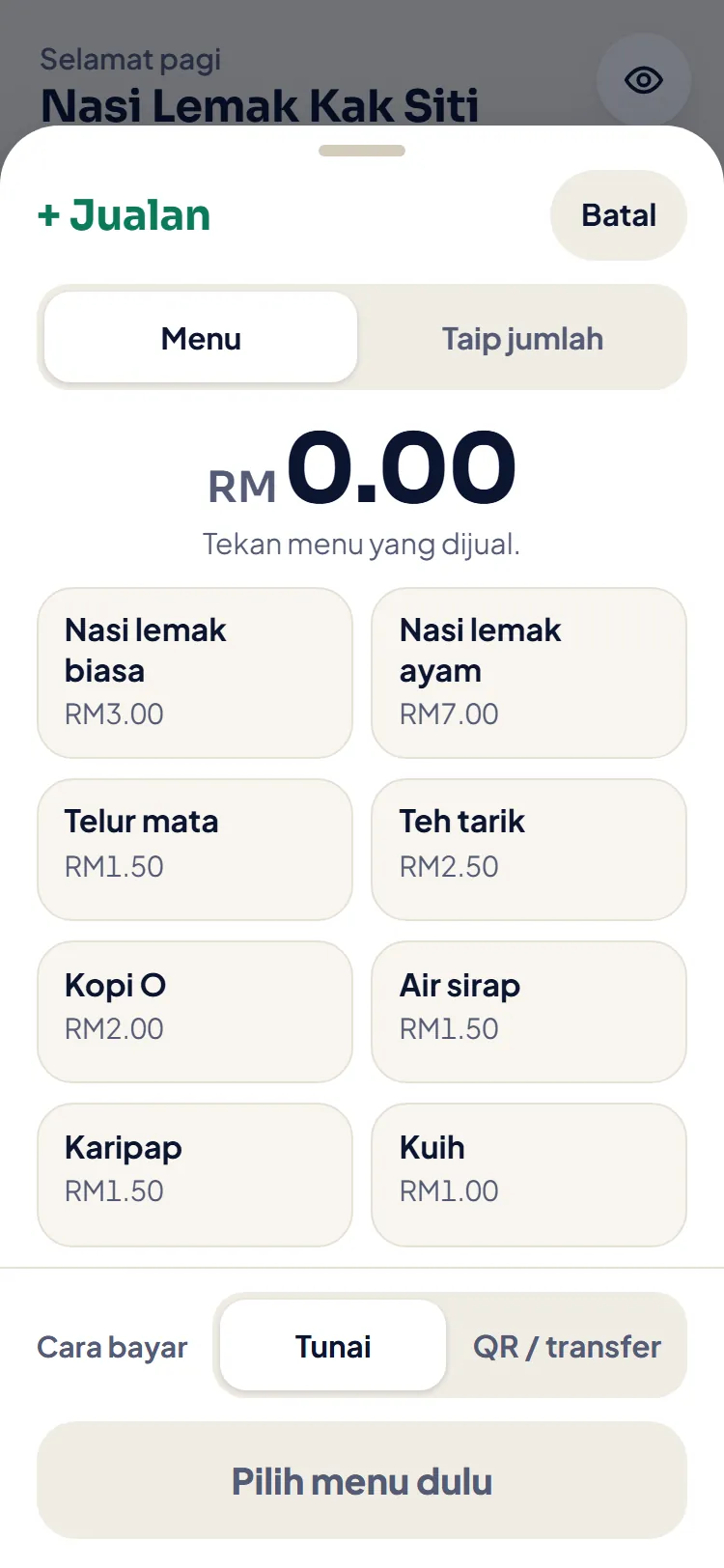
A sale: tap the menu, pick cash or QR, tap Simpan.
What the app does
- 01Tap the menu or type the amount, then tap Simpan. The sale is recorded, cash or QR.
- 02Daily expenses and monthly costs (rent, gas, packaging) are counted in by themselves.
- 03Taking money from the shop: every ringgit you take, against the wage you set for yourself.
- 04Profit after your wage for this month, last month and the last 12 months, and where every RM10 of sales went.
- 05A monthly target at three levels: cover costs, the basic target and the dream target, with one sales target figure for today.
- 06A selling price from the cost of one unit, and the cost per piece from a recipe.
Records on your own phone
No account, no login. Your shop's records live on your own phone, not on our server.
Works without internet. Activating the code needs internet once.
Save a copy to WhatsApp or Google Drive any time. Changing phones? Restore the copy of your records and enter the same code on the new phone.
Install in three steps
- 01Open Duit Kedai in Chrome (Android) or Safari (iPhone). If you came from TikTok or Instagram, open it in Chrome or Safari first.
- 02Add it to the home screen. Android: tap the three dots, then choose Install app or Add to Home screen. iPhone: tap Share, then choose Add to Home Screen.
- 03Open the app from the home screen. Tap Mula dengan kedai saya (or Buka kedai sendiri, if the sample shop is open) and fill in three steps. The 3-day trial starts. If you have a code, tap Masukkan kod and type it in.
Price
RM39 RM49Launch price. The normal price is RM49. Pay once, no subscription.
One code, shown on screen and sent to your e-mail as soon as the payment is confirmed. Before you buy, you can try your own shop for 3 days without a code.
With the Small Business Control Pack
Get both: the app for the phone and the Excel file for the PC. One payment for the code and the file, saving RM9 against buying them apart. Both for: RM69
Common questions
I opened it from TikTok and cannot install.
The browser inside the TikTok and Instagram apps cannot install apps. Tap the three dots at the top, choose Open in browser (on Instagram: Open in external browser), then install from Chrome or Safari.
Does it work on iPhone?
Yes. Open it in Safari, tap Share, then choose Add to Home Screen. Open your own shop and enter the code inside the installed app, not in Safari. Records in Safari and in the installed app are kept apart.
I lost my code.
Open the link in your receipt e-mail. It shows the same code again, any time. No e-mail? WhatsApp us with your order number or the e-mail you used.
I am changing phones.
On the old phone, tap Simpan salinan and send the file to WhatsApp or Google Drive. On the new phone, install the app, tap Pulihkan daripada salinan in Tetapan, then enter the same code.
What does the app send to ArteyuLabs?
The app sends the code and one installation ID to arteyulabs.com once, when you enter the code. Your sales, expenses and drawings are not sent to us. Records only leave the phone when you yourself save a copy, export or send a report. If you use Cakap, your voice is processed by your browser's speech service (Google or Apple), not by us. If the phone is lost with no copy, the records are lost too. That is why the app reminds you to save a copy every week.
Duit Kedai is a record tool for your own use, not tax, legal or financial advice.